
- Home
- /
- Integrations
- /
- SMS integration for physical...
- /
- SMS integration for QNAP
SMS integration for QNAP

Send SMS messages from QNAP via SureSMS.
Integration to QNAP
It's easy to integrate SureSMS into QNAP monitoring software. You can find information about QNAP here.
In SureSMS you need to do the following
- Create a SureSMS account if you haven't already done so. Click here to create an SMS Gateway account.
- Find your SureSMS username and password. You will need these in the QNAP setup.
In QNAP, you need to do the following
- Go to "QNAP" and select "Event management".
- In SMS server settings, fill in the username and password information that you received in step 1.
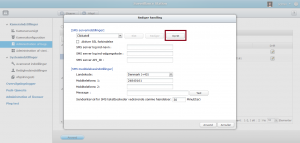
- Then you need to press "Create".
- In this screen, in SMS Service Provider, type SureSMS.
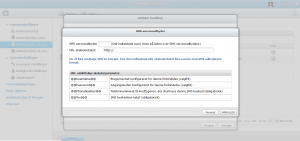
URL and important settings
The URL template text you need to use looks like this:
http://suresms.com/Script/GlobalSendSMS.aspx?login=@@username@@&password=@@password@@&to=@@PhoneNumber@@&from=Qnap&Text=@@Text@@
Copy the above into the URL text and select "Apply".
Now you should be able to send a test message.
If that doesn't work, write to [email protected]. Let us know what you've tried and we'll be happy to help.